Best Custody Calendar App for Co-Parents in 2026
Written and reviewed by the divvi team. How we research and check this.

The best custody calendar app for most co-parents is OurFamilyWizard for high-conflict or legally involved situations, and Kidtime for low-conflict parents who want a free, automatic parenting-time tracker with printable PDF exports. If you need documents designed for filing alongside your calendar, Divvi integrates optional attorney referrals and filing support that no standalone app provides.
Here is the short list to orient you before the full comparison:
- Divvi — Best for Utah parents who need documents designed for filing, attorney referrals, and a family-management plan alongside their custody calendar
- OurFamilyWizard — Best for high-conflict co-parents who need exportable, court-oriented records and tone-checked messaging
- Kidtime — Best free option for low-to-moderate-conflict parents; automatic overnight counting and printable PDF calendars
- AppClose — Best free app with pre-built custody templates and claims of court adoption across all 50 states
- CustodySync — Best for parents who want AI-assisted schedule setup from a plain-English description or uploaded agreement
- Cozi Family Organizer — Best for low-conflict families that just need a shared household calendar
- TimeTree — Best for easy collaborative scheduling when legal exports are not a priority
- TalkingParents — Best for parents who need a fully archived, tamper-evident communication record
- 2houses — Best for parents who want a blend of scheduling and shared expense tracking
- FamilyWall — Best for families wanting a private hub with messaging and shared media
The full comparison table is in the next section. If you are unsure which category fits your situation, the selection checklist further down will help you decide in about five minutes.
Key Takeaways
The best custody calendar app depends on your conflict level: OurFamilyWizard leads for high-conflict legal situations, Kidtime is the strongest free option for low-conflict parents, and Divvi fills the gap when documents designed for filing are needed alongside a calendar.
| Point | Details |
|---|---|
| Match app to conflict level | Low-conflict parents do well with Kidtime or Cozi; high-conflict situations call for OurFamilyWizard or TalkingParents. |
| Export records consistently | Monthly PDF or email-archive exports, stored in a dedicated account, are the foundation of any court-usable record. |
| Verify sync behavior | One-way sync (CustodySync to Google) keeps the app as the source of truth; two-way sync reduces missed updates for parents who live in Google Calendar. |
| Apps can't replace legal documents | A calendar app documents parenting time but cannot generate a binding parenting plan, handle relocation, or file a modification. |
| Divvi extends what apps provide | For Utah parents, Divvi's family-management plan tool and filing support turn app-documented records into documents designed for filing. |
Table of Contents
- How do the top custody calendar apps compare at a glance?
- Which app fits your situation? Per-app profiles
- How do you choose the right custody calendar app?
- Are app records admissible in court?
- When a custody calendar isn't enough
- The part most co-parenting app guides skip
- Divvi: when your custody calendar points to a legal next step
- Useful sources and resources
How do the top custody calendar apps compare at a glance?
The table below covers the dimensions that matter most: who each app is built for, what it costs, whether it can produce court-usable exports, and what platforms it runs on.
| App | Best for | Price / Free tier | Court-admissible exports | Core features | Platforms & sync | Ease of setup |
|---|---|---|---|---|---|---|
| Divvi | Utah parents needing documents designed for filing + attorney review | Free base; paid upgrades | Documents designed for filing | Family-management plan, doc generation, mediation, filing support | Web; integrates with legal workflow | Guided wizard; moderate |
| OurFamilyWizard | High-conflict / legal proceedings | Paid subscription | Yes — timestamped exports, court reports | Calendar, messaging, tone check, expense tracking | iOS, Android, web | Moderate |
| Kidtime | Low-to-moderate conflict; free tracker | Free | Yes — PDF export, timestamped records | Parenting-time tracker, calendar, expense log, messaging | iOS, Android, web | Very easy |
| AppClose | Parents wanting free templates + court claims | Free | Yes — PDF export, timestamped records | Calendar, messaging, templates, expense tracking | iOS, Android, web | Easy |
| CustodySync | AI-assisted schedule setup | Free personal; from $50/year co-parenting | Partial — schedule exports | AI schedule parsing, approval workflows | iOS, Android, web; one-way Google sync | Easy |
| TalkingParents | Tamper-evident communication archive | Free + paid tiers | Yes — archived records | Messaging, calendar, call recording | iOS, Android, web | Easy |
| 2houses | Scheduling + expense sharing | Paid subscription | Partial | Calendar, expense log, info bank | iOS, Android, web | Easy |
| WeParent | Simple shared calendar | Free + paid | Limited | Calendar, coordination tools | iOS, Android | Easy |
| Cozi Family Organizer | Low-conflict household scheduling | Free + Gold upgrade | No dedicated legal export | Shared calendar, lists, reminders | iOS, Android, web | Very easy |
| TimeTree | Easy collaborative scheduling | Free + premium | No dedicated legal export | Shared calendar, event coordination | iOS, Android, web | Very easy |
| FamilyWall | Private family hub | Free + premium | No dedicated legal export | Calendar, messaging, shared storage | iOS, Android, web | Easy |
| FamCal (Appxy) | Simple household coordination | Free + paid | No dedicated legal export | Shared calendar, event management | iOS, Android | Easy |
| Baby Connect | Infant care logs + scheduling | Paid | No dedicated legal export | Care logs, feeding/sleep tracking, calendar | iOS, Android, web | Moderate |
| Storypark | Child development documentation | Subscription | No dedicated legal export | Development docs, activity sharing | iOS, Android, web | Moderate |
| Google Calendar | Existing-calendar display layer | Free | No dedicated legal export | Shared calendar, reminders, event sharing | iOS, Android, web; two-way sync | Very easy |
| Divorce and Children | Custody guidance and resources | Free resource | N/A | Informational content | Web | N/A |
| Raising Children | Parenting advice + scheduling context | Free resource | N/A | Informational content | Web | N/A |
| Human Improvement | Family resilience and self-improvement content | Free resource | N/A | Informational content | Web | N/A |
A note on "court-admissible" in this table: No app can guarantee a judge will accept its records. What the "Yes" entries mean is that the app produces timestamped, exportable logs (PDF or email archive) that attorneys can submit as exhibits. Whether a court accepts them depends on how they were preserved and whether the other party disputes authenticity. Apps marked "No dedicated legal export" can still produce screenshots, but those carry less evidentiary weight than a vendor-generated, timestamped PDF.
One-way vs. two-way sync: CustodySync pushes custody events into Google Calendar but changes made inside Google do not flow back. Parenting Path offers true two-way Google and Apple Calendar sync where the co-parenting app remains the source of truth. For parents who live in Google Calendar, two-way sync dramatically reduces the chance of a missed schedule change.
Which app fits your situation? Per-app profiles
OurFamilyWizard
OurFamilyWizard is the go-to for parents whose custody situation involves attorneys, mediators, or active litigation. Its tone-checking tool flags heated language before you send a message, which matters when every word could end up in front of a judge. The platform produces timestamped exports of messages, calendar events, and expense requests that attorneys can pull directly into filings.
- Shared calendar with request-and-approval for schedule changes
- Secure messaging with OurTone sentiment analysis
- Expense tracking with receipt uploads and approval workflows
- Exportable court reports and full message archives
- iOS, Android, and web access
Pricing: Paid subscription; pricing is listed on the vendor's site. No meaningful free tier. Court exports: Yes, full timestamped records. Sync: No native Google/Apple sync noted publicly. Best for: High-conflict co-parents or anyone with an active court order.
Kidtime
Kidtime is genuinely free, and that is its biggest differentiator. It automatically counts overnights and parenting-time percentages, which is useful for child support calculations. The PDF custody calendar can be emailed to you without the other parent needing the app, and the platform is trusted by over 25,000 co-parents per its own published figures.
- Automatic overnight and parenting-time percentage tracking
- Printable PDF custody calendar (no app required for the other parent)
- Timestamped records and expense logging
- Messaging with tone checks
- iOS, Android, and web
Pricing: Free. Court exports: Yes, PDF with timestamps. Best for: Low-to-moderate-conflict parents who want a no-cost tracker with printable schedules.
AppClose
AppClose claims court recommendations in all 50 states, which is a bold marketing claim worth noting. What is verifiable: it offers pre-built custody schedule templates, timestamped secure messaging, PDF export, and web access. The template library is genuinely useful for parents who are starting from scratch and do not have a formal parenting plan yet.
- Pre-built custody schedule templates
- Timestamped messaging and calendar
- PDF export for court use
- Expense tracking
- iOS, Android, and web
Pricing: Free core; paid tiers for additional features. Court exports: Yes, PDF and message archives. Best for: Parents who want a free starting point with built-in templates.
CustodySync
CustodySync does something the others do not: it reads a plain-English description of your custody arrangement or an uploaded agreement and builds the schedule automatically. That alone saves hours of manual entry. The mutual-approval workflow means neither parent can change the schedule unilaterally, and custody events push one-way into Google Calendar.
- AI parsing of custody agreements into a live schedule
- Mutual-approval workflow for schedule changes
- One-way Google Calendar sync
- Free for personal use; co-parenting plans from $50/year with a 14-day free trial
Court exports: Partial; schedule exports available. Best for: Parents who want AI-assisted setup and a controlled, approval-based workflow.
TalkingParents
TalkingParents focuses on one thing above all else: creating a tamper-evident record of every communication. Messages cannot be deleted or edited after sending, and the platform offers call recording alongside its calendar. For parents whose co-parenting relationship is contentious but who do not yet need the full legal apparatus of OurFamilyWizard, it sits in a useful middle ground.
- Unalterable message archive
- Call recording with transcripts (paid tier)
- Shared calendar and parenting-time log
- iOS, Android, and web
Pricing: Free tier available; paid plans unlock call recording and additional storage. Court exports: Yes, archived records exportable. Best for: Parents who need a tamper-proof communication trail without a full legal platform.
2houses
2houses combines a shared custody calendar with an expense log and an information bank for storing child-related documents. It does not have the legal-export depth of OurFamilyWizard, but for parents who want one place for schedules, shared costs, and child information, it covers the basics cleanly.
Pricing: Paid subscription; no significant free tier. Court exports: Partial. Best for: Parents who want scheduling and expense sharing in one place.
Cozi Family Organizer
Cozi is a mainstream family organizer, not a co-parenting tool. It has no timestamped messaging, no export designed for filing, and no approval workflow. What it does have is a clean, intuitive shared calendar that the whole family can use, plus shopping lists and meal planning. For low-conflict co-parents who just need to coordinate pickups and school events, it works well and costs nothing.
Best for: Low-conflict families who want a simple shared calendar with no legal overhead.
TimeTree
TimeTree is built around collaborative scheduling and is genuinely pleasant to use. Cross-platform support is solid, and the shared calendar workflow is intuitive enough that even a less tech-savvy co-parent will adopt it quickly. Like Cozi, it has no legal-export features.
Best for: Low-conflict families prioritizing ease of use over documentation.
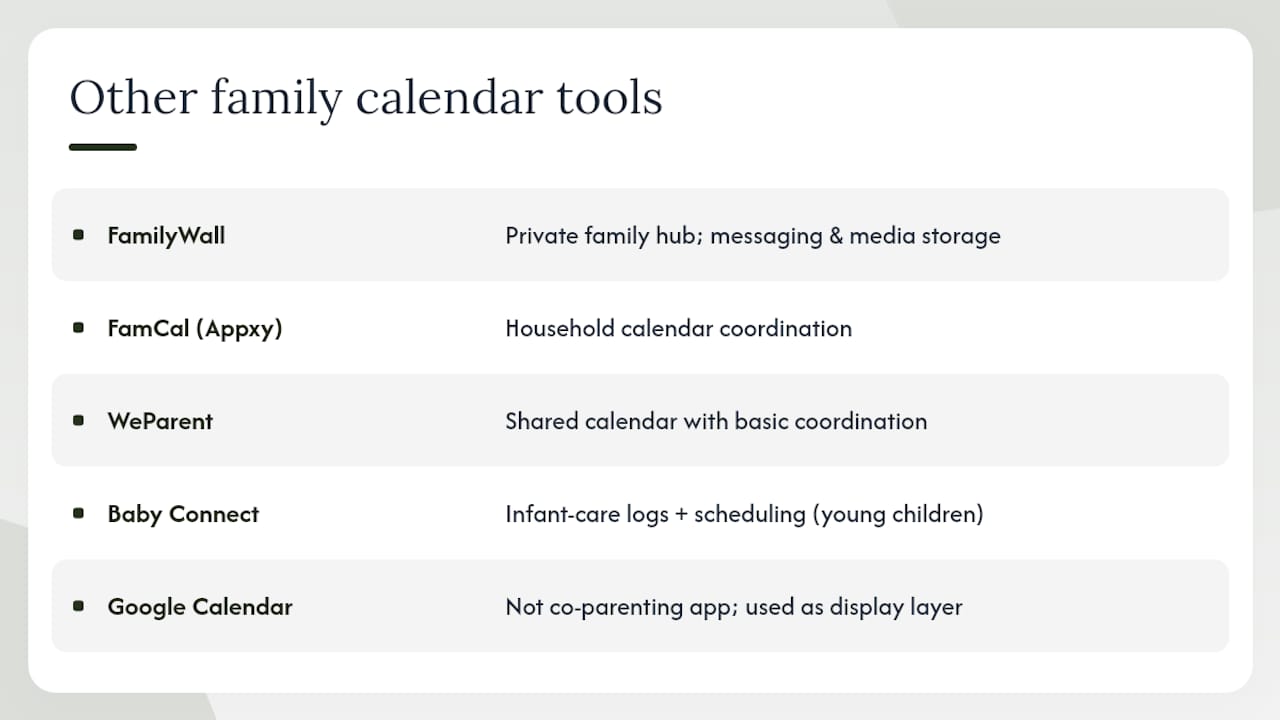
FamilyWall, FamCal, WeParent, Baby Connect, Storypark, Google Calendar
These tools serve narrower or adjacent needs. FamilyWall is a private family hub with messaging and shared media storage. FamCal (Appxy) handles household calendar coordination. WeParent offers a straightforward shared calendar with basic coordination. Baby Connect is purpose-built for infant care logs (feeds, sleep, diaper changes) with a scheduling layer, making it relevant only for parents of very young children. Storypark documents child development and is used primarily by caregivers and early-childhood educators rather than co-parents managing custody schedules. Google Calendar is not a co-parenting app, but it functions as a display layer when synced from a dedicated custody tool, and many parents use it as a low-friction starting point before upgrading.
Pro Tip: If you and your co-parent already live in Google Calendar, choose an app with two-way sync so custody events appear in the calendar you already check. One-way sync means changes made in Google won't flow back to the co-parenting app, which can create conflicting records.
How do you choose the right custody calendar app?
Start with your conflict level. That single variable determines whether you need legal-grade documentation or just a shared calendar that both parents will actually use.
Decision checklist by conflict level
Low conflict (both parents communicate reasonably):
- Will you both adopt the app? Ease of use matters more than features you will never touch.
- Do you need expense tracking, or is a shared calendar enough?
- Is Google Calendar or Apple Calendar already part of your daily routine? If yes, prioritize sync.
- Are printable schedules useful for school or daycare? Kidtime's PDF export handles this without requiring the other parent to download anything.
Moderate conflict (communication is strained but no active litigation):
- Do you need a record of every message? TalkingParents or AppClose give you that without a paid subscription.
- Can both parents agree on which app to use? If not, start with AppClose's templates to propose a structure.
- Do you need approval workflows for schedule changes? CustodySync's mutual-approval system prevents unilateral edits.
High conflict or active litigation:
- Does your attorney recommend a specific platform? OurFamilyWizard is the most commonly referenced by family law attorneys.
- Do you need tone-checked messaging? OurFamilyWizard's OurTone feature is the only one that flags language before you send.
- Can you export full records in a format your attorney can use? Confirm the export format (PDF, CSV, email archive) before committing.
- Is there a court order specifying an app? Some Utah judges now include app requirements in parenting plans. Check your temporary custody order before choosing.
Questions to ask the other parent before you commit
- Will you actually use this app, or will it become another source of conflict?
- Are you comfortable with the app storing our messages and location data?
- Who can be added as a third party (attorneys, grandparents, new partners)?
- What happens to our data if we stop paying or the company shuts down?
Red flags to watch for
- No export function at all — your records are trapped inside the app
- No timestamps on messages or calendar changes
- Device-only access with no web login (makes court submission harder)
- Vague privacy policy that does not specify data retention periods
- No approval workflow for schedule changes (either parent can edit unilaterally)
Pro Tip: Run a 30-day pilot before asking a court to recognize the app as your official communication channel. Use it consistently, export a sample record at the end of the month, and confirm your attorney can open and read the file. That test also establishes a documented pattern of use, which strengthens the record's credibility if it is ever submitted as evidence.
Are app records admissible in court?
App records can be admissible in family court, but admissibility is never automatic. A judge evaluates whether the record is authentic, whether it has been altered, and whether the opposing party had notice that the app was being used. Here is a practical preservation workflow that holds up.
Step-by-step export and preservation guide
- Export regularly — Do not wait until litigation begins. Set a monthly reminder to export your full message and calendar log. Most legal-grade apps (OurFamilyWizard, AppClose, TalkingParents, Kidtime) produce a timestamped PDF or email archive.
- Preserve the app's own confirmation — When an app sends a delivery or read receipt, save that too. Parenting Path, for example, generates read receipts on calendar events, which can confirm the other parent saw a schedule change.
Privacy and data retention
Most co-parenting apps store messages on their servers indefinitely while your account is active, but retention policies after account closure vary. OurFamilyWizard and TalkingParents publish explicit retention terms. Before you commit to a platform, read the privacy policy for two things: how long data is stored after you stop paying, and whether the vendor can be subpoenaed directly. Some vendors will respond to a subpoena with a certified copy of your records, which carries more evidentiary weight than a self-exported PDF.
Pro Tip: Set up a dedicated Gmail address (e.g., yourname.custodyrecords@gmail.com) and forward every app export there immediately. Gmail's servers timestamp the receipt independently of the app vendor, giving you a second layer of authentication that is difficult to dispute.
When a custody calendar isn't enough
A shared parenting calendar solves the logistics of who has the kids on which day. It does not solve a contested custody order, a relocation dispute, or a co-parent who ignores the schedule entirely.
Situations where an app alone falls short
- Complex or contested custody orders: — If your parenting plan is disputed or involves multiple custody types (legal vs. physical, split vs. primary), you need documents designed for filing, not just a calendar. An app cannot generate a legally binding parenting plan.
- Decree modifications: When circumstances change (new job, new school district, change in income), the parenting plan itself needs updating. App records can support the case, but the modification requires a court filing. Divvi's uncontested modification service handles exactly this.
How Divvi's integrated approach works
Divvi's family-management plan tool generates documents designed for filing that go beyond what any calendar app produces. Optional attorney referrals, mediation options (both AI-assisted and human), and direct filing support through divviFile mean that when your app records point to a problem, Divvi gives you the legal infrastructure to act on it.
The practical workflow: use a custody calendar app (OurFamilyWizard or Kidtime, depending on your conflict level) to build a documented record of parenting time and communication. When that record reveals a pattern worth addressing legally, export it, hand it to your attorney, and use Divvi to generate or modify the underlying court documents. The two tools are complementary, not competing.
Pro Tip: Export your app records before filing any modification request. A six-month log of missed exchanges, unanswered messages, or unilateral schedule changes is far more persuasive than a verbal account. Pair that export with a Divvi-generated family-management plan to give your attorney a complete picture.
The part most co-parenting app guides skip
Most roundups treat custody calendar apps as a self-contained solution. Pick the right one, set it up, and your co-parenting logistics are solved. That framing is useful up to a point, and then it quietly misleads people.
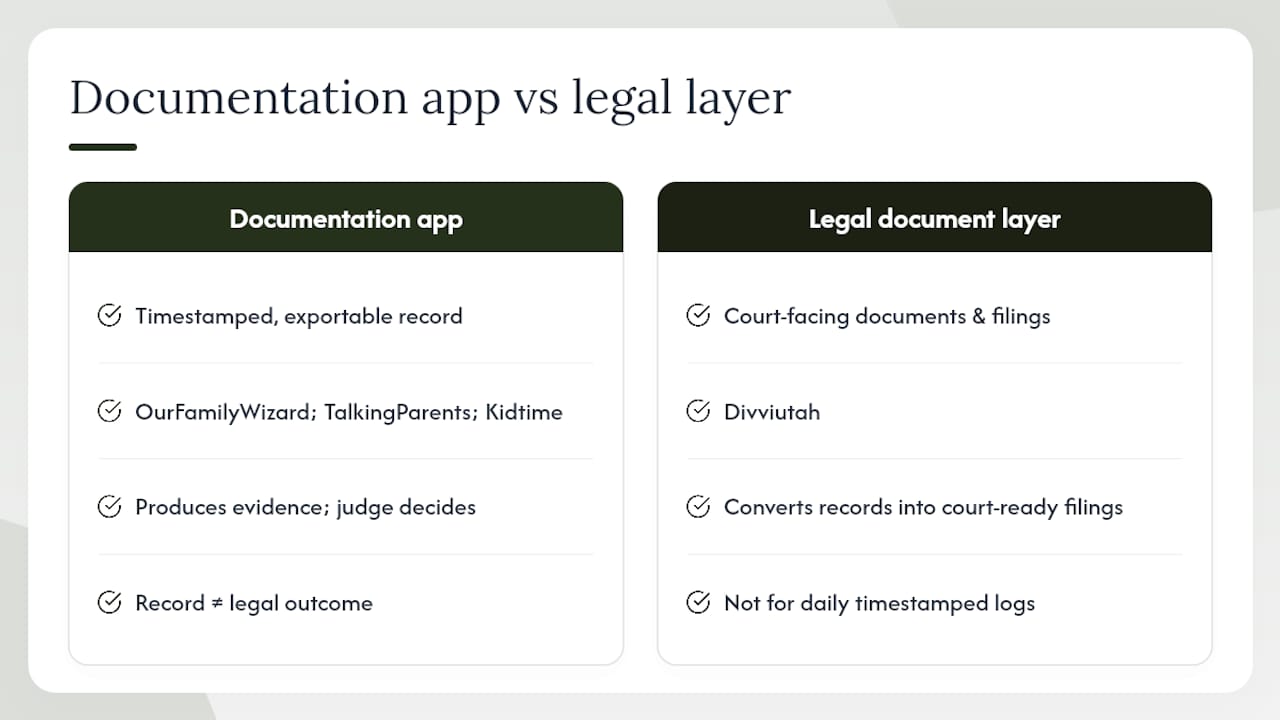
The apps in this list are documentation tools. The best ones (OurFamilyWizard, TalkingParents, Kidtime) are genuinely good at creating a timestamped, exportable record of what happened and when. That record has real value in court. But the record is evidence, not resolution. A judge still has to read it, weigh it, and apply it to a legal standard. The app does not do that part.
What I see missing from most app comparisons is an honest accounting of the gap between "we have a record" and "we have a legal outcome." Parents in high-conflict situations sometimes over-invest in documentation and under-invest in the legal infrastructure that makes documentation useful. They spend months building a meticulous OurFamilyWizard archive and then hand it to an attorney who has to spend billable hours converting it into something a court can act on.
The smarter approach is to treat the app and the legal document layer as two separate tools that work together. The app handles the daily record. A platform like Divvi handles the court-facing documents, modifications, and filings. Neither replaces the other, and neither is sufficient alone for a contested situation.
For low-conflict parents, this distinction barely matters. Cozi or Kidtime is genuinely all you need. But if your situation has any legal complexity, the question is not just "which app" but "which app, paired with what legal support." That is the question most roundups never ask.
Divvi: when your custody calendar points to a legal next step
Apps like OurFamilyWizard, Kidtime, and AppClose handle the daily record. When that record reveals something that needs a court response, Divvi is the next step.
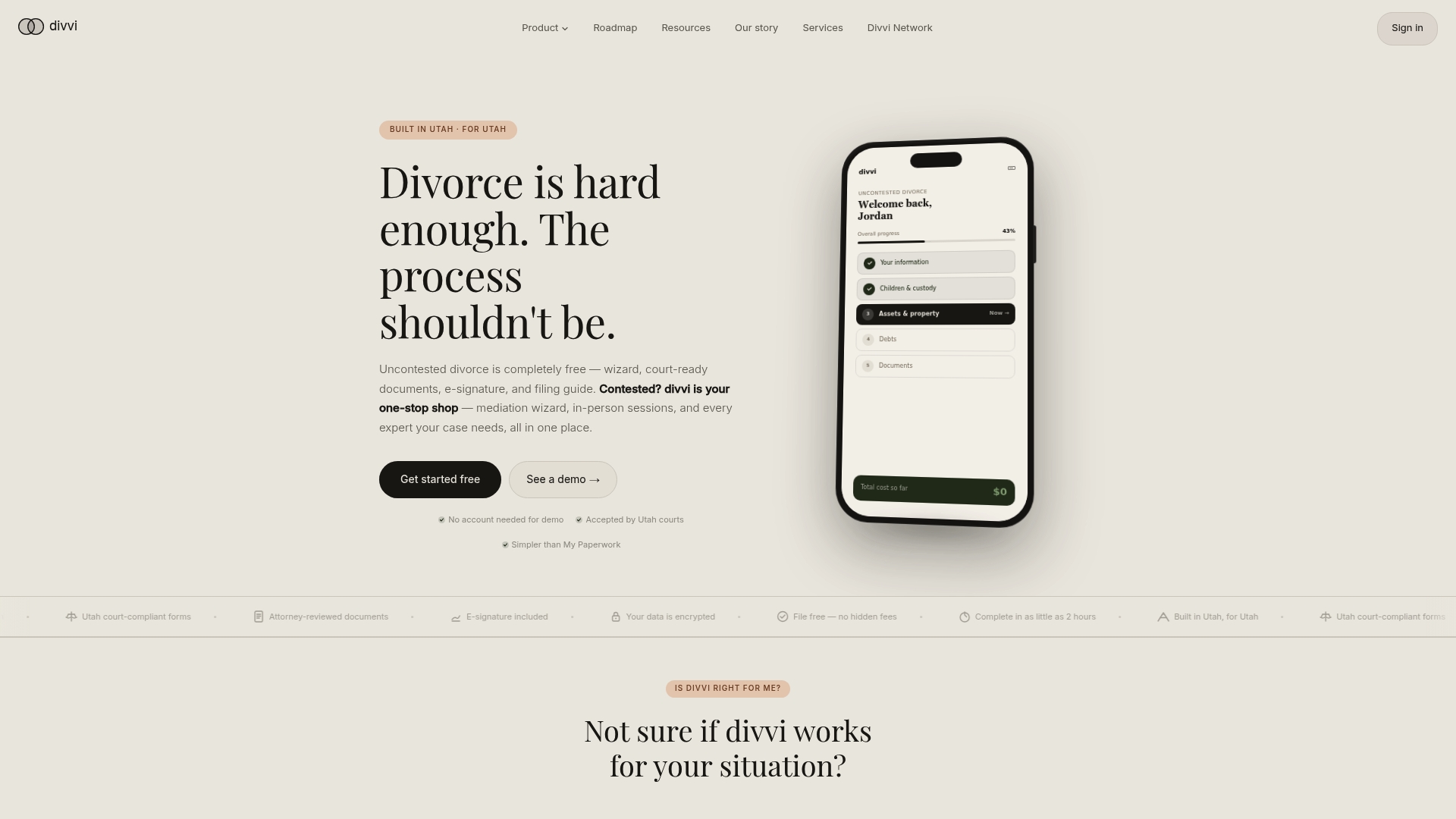
Divvi generates family-management plan documents designed for filing, offers optional attorney referrals, and connects Utah parents with mediators, financial advisors, and real estate professionals, all through a single guided platform. The base service is free. You pay only for what you actually need: mediation, attorney review, a decree modification, or divviFile's hands-on filing support.
If you have been using a custody app and you are now facing a schedule dispute, a relocation question, or a modification request, start with Divvi's family-management plan tool or explore the full range of services to find the right level of support for your situation.
This article is general information, not legal advice. For guidance specific to your custody situation, consult a licensed Utah family law attorney or contact Divvi to connect with a legal professional.
Useful sources and resources
Custody calendar apps:
- Kidtime | Coparent Calendar & Parenting Time Tracker
- CustodySync – Simple, Affordable Custody Scheduling App | CustodySync
- Co-Parenting Calendar: Google & Apple Sync — Parenting Path
- OurFamilyWizard - Best Co-Parenting App for Child Custody
- AppClose: Court-Ordered Co-Parenting App | Custody & Calls
- Cozi Family Organizer
- TimeTree
- Utah Divorce: Free Uncontested Wizard & documents designed for filing
Divvi resources for Utah parents:
- divviFile: Utah Divorce Filing Service
- Uncontested Decree Modification
- Temporary Custody Orders in Utah
- Post-Divorce Budget Resources
Divvi is a legal document preparation platform, not a law firm. Nothing in this article constitutes legal advice. Consult a licensed Utah family law attorney for advice specific to your circumstances.